Appearance
AI Agents
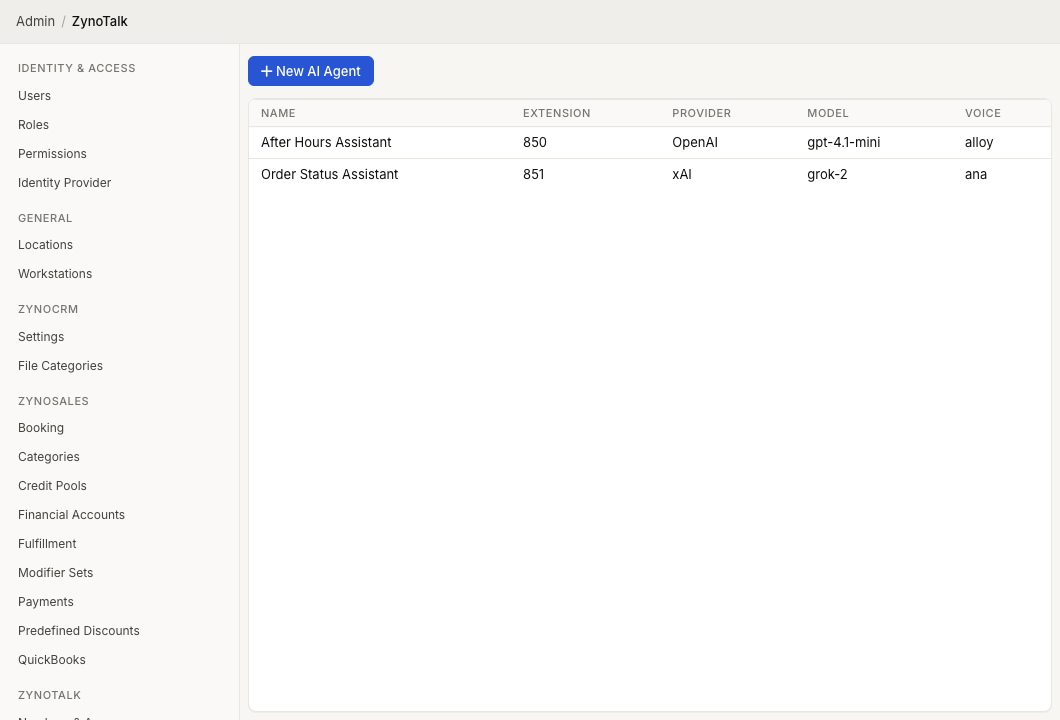
WebWorkstationUse Admin > ZynoTalk > AI Agents to create AI agents that can answer calls from a call flow or routing destination.
Admin Access Required
Only ZynoTalk administrators should create or edit AI agents.
Current ZynoTalk Platform
This screen appears only for organizations using the current ZynoTalk calling platform. If you do not see it, your organization may be on a legacy voice setup or the feature may not be enabled.
Page Layout
The AI Agents table shows:
- Name
- Extension
- Provider
- Model
- Voice
Select an agent to edit it. Open the row context menu to edit or delete an agent.
Create An AI Agent
- Open Admin > ZynoTalk > AI Agents.
- Select New AI Agent.
- Enter a Name.
- Enter an optional Extension if the agent should be reachable as an internal destination.
- Set Max Session to limit how long the agent can stay on a call.
- Choose the Provider and Voice shown in the editor.
- Write the System Prompt that describes the agent's role, tone, and instructions.
- Enter the Greeting text the agent should speak when the call connects.
- Choose any allowed Capabilities.
- Add Transfer Targets if the agent should hand callers to people, groups, flows, or voicemail.
- Select Create.
Advanced Settings
Select Advanced settings only when you need to change the model, locale, or temperature. Leave these values at their defaults unless your support or implementation team gives you specific values.
Transfer Targets
Transfer targets tell the agent where it is allowed to send callers. Each target needs:
- Name - the short name the AI model uses internally.
- Type - Extension, Ring Group, Parking Lot, Call Flow, AI Agent, or Voicemail.
- Destination - the actual ZynoTalk destination.
- Description - when the agent should use that target.
When a transfer target is another AI agent, choose whether the receiving agent should Continue context or Start fresh.
Capabilities
Capabilities control what the agent can do during a call:
| Capability | Allows |
|---|---|
| Set call variables | Store call details for later routing or workflow steps. |
| Set call popup detail | Set the information staff see when the call appears. |
| Hang up the call | End the call when the conversation is complete. |
Common Issues
| Problem | What To Check |
|---|---|
| The agent cannot be saved | Confirm the name, model, voice, system prompt, and every transfer target are complete. |
| A transfer option is missing | Create the destination first, then return to the agent. |
| The agent gives callers the wrong options | Review the system prompt and each transfer target description. |
| The agent should not answer live callers yet | Test it in a separate call flow before routing a production phone number to it. |