Appearance
Outbound Routes
WebWorkstationUse Admin > ZynoTalk > Outbound Routes to choose which carrier gateway handles outbound calls when someone dials an external number.
Carrier Configuration
Outbound routes affect live calling. Only change these settings when you have carrier details from your implementation team, carrier, or support.
Current ZynoTalk Platform
This screen appears only for organizations using the current ZynoTalk calling platform. If you do not see it, your organization may be on a legacy voice setup or the feature may not be enabled.
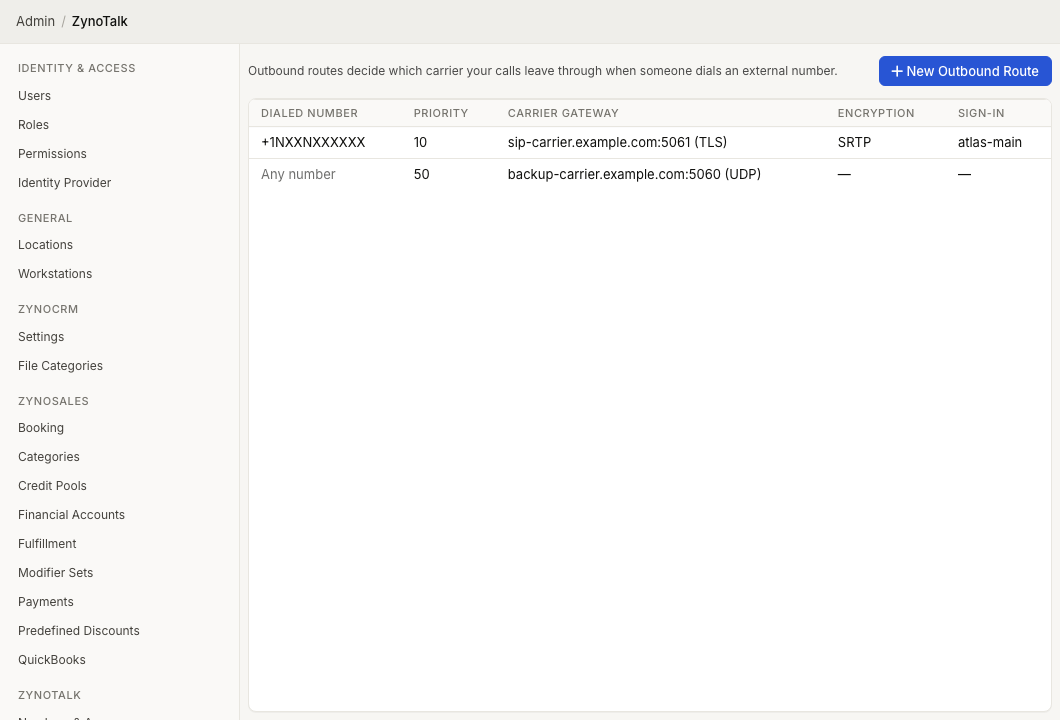
Page Layout
The Outbound Routes table shows:
- Dialed Number
- Priority
- Carrier Gateway
- Encryption
- Sign-in
Select a route to edit it. Open the row context menu to edit or delete a route.
Create An Outbound Route
- Open Admin > ZynoTalk > Outbound Routes.
- Select New Outbound Route.
- In When to use this route, enter a Dialed number pattern or leave it blank for any number.
- Set Priority. Lower numbers are tried first.
- In Carrier gateway, enter the SIP host, Port, and Protocol.
- Choose whether to Encrypt media (SRTP).
- Set any Dialing options required by the carrier.
- Add Authentication if the carrier requires a username and password.
- Add custom SIP headers only if your carrier requires them.
- Select Create.
Dialing Options
| Option | Purpose |
|---|---|
| Digit prefix | Adds digits before the dialed number is sent to the carrier. |
| Normalize to E.164 | Rewrites the number to +1234567890 format before sending. |
| Send caller ID | Passes the caller's number to the carrier. |
Authentication
If This carrier requires a username & password is selected, enter the carrier username and password. When editing an existing authenticated route, leaving the password blank keeps the current password.
Common Issues
| Problem | What To Check |
|---|---|
| Outbound calls fail | Confirm the SIP host, port, protocol, authentication, and carrier requirements. |
| The wrong route is used | Review priorities. Lower priority numbers are tried first. |
| Caller ID is not sent | Turn on Send caller ID if the carrier supports it. |
| A carrier rejects the number format | Check Normalize to E.164, digit prefix, and the dialed number pattern. |