Appearance
Time Conditions
WebWorkstationUse Admin > ZynoTalk > Time Conditions to create open/closed logic that call flows can use for business hours, holidays, and manual overrides.
Admin Access Required
Only ZynoTalk administrators should create or edit time conditions.
Current ZynoTalk Platform
This screen appears only for organizations using the current ZynoTalk calling platform. If you do not see it, your organization may be on a legacy voice setup or the feature may not be enabled.
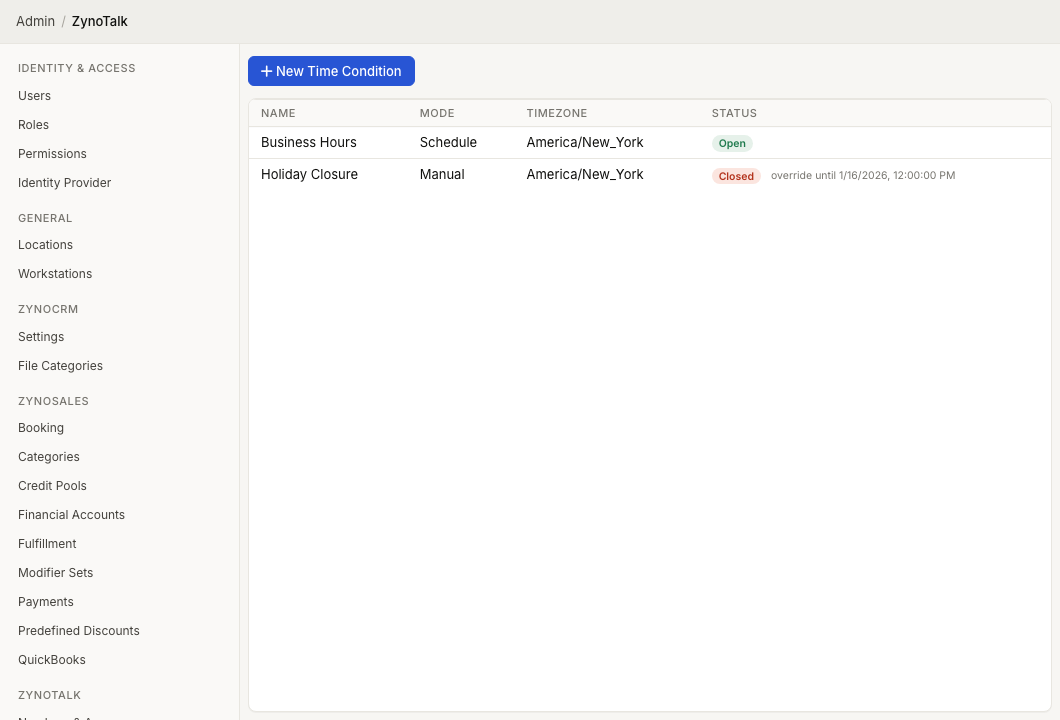
Page Layout
The Time Conditions table shows:
- Name
- Mode
- Timezone
- Status
Select a condition to edit it. Open the row context menu to edit, force open, force closed, clear an override, or delete the condition.
Create A Time Condition
- Open Admin > ZynoTalk > Time Conditions.
- Select New Time Condition.
- Enter a Name.
- Choose a Mode.
- Choose the Timezone.
- Add weekly schedules or date/holiday schedules.
- Mark a schedule as Exclude from match when it should close or skip the condition during that time.
- Select Create.
Modes
| Mode | Use When |
|---|---|
| Fixed (schedule only) | The condition should follow its schedule. |
| Flexible (schedule + override) | The condition should follow its schedule but allow manual open/closed overrides. |
| Dynamic (manual only) | Staff will control the condition manually. |
Schedules
Use Weekly schedules for recurring business hours. Use Date/Holiday schedules for specific dates or holidays. Each schedule has a start time, end time, and optional exclude setting.
Manual Overrides
Open the row context menu and select Force Open or Force Closed to override the current status. If an override is active, the table shows when it lasts until and the context menu includes Clear Override.
Use A Time Condition
Time conditions are used inside call flows. Add a Time Condition node and connect the Match and No Match paths to the correct next steps.
Common Issues
| Problem | What To Check |
|---|---|
| Calls go to the wrong branch | Confirm the condition's timezone and schedule times. |
| A holiday does not apply | Add a Date/Holiday schedule and choose the holiday. |
| A condition stays open or closed | Check for an active manual override. |
| A call flow cannot use the condition | Save the condition first, then return to the call flow builder. |